Posts

Showing posts with the label free visiting card

How to Build the Perfect Business Network

Image
 In such a competitive environment, business networking is crucial. Making the right connections with the people at the right moment could be the trick to propelling your career forward. Networking is all about being known. It is believed that the more people you meet, the more likely they are to remember you and your business. You should take advantage of every professional and social opportunity to meet new people. If you are a startup or small business, it's time to step outside of your comfort zone and approach people with similar interests or professions. To earn revenue, it is critical to enhancing the number of connections. What is Business Networking? Business networking is meeting other entrepreneurs, suppliers, or experts with business experience who can guide you in building your business. It also helps to exchange new ideas, information, contacts, or services with other professionals. In small enterprises, a business owner's communication skills deliver the bes...

Wow! Free Digital Business Cards for Every Employee

Image
Time to say "NO" to paper pollution with our new digital invention. In the technological realm, digital cards are a remarkable product. It's a system where you do not need to meet in person to give them your business card . All you have to do is send them with a simple click from your phone. Adapting to digital vCards will no longer pose a threat to the environment. According to the study, India's paper sector imports 4 million tonnes of waste paper each year. Only 20% of waste paper is collected in India, with the rest ending up in landfills. Only 30% of the 100 kilograms of paper are recycled. Paper business cards have been used for ages. Unfortunately, they are costly and injurious. So, now is the time for us to take a small step toward protecting the environment by adopting digital cards. Quikly have taken the initiative to rescue the planet. We are offering free business cards for all kinds of businesses. Personalize as many cards as you need for your business....

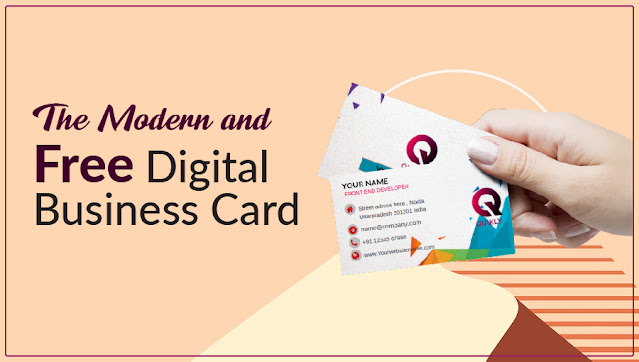
The Modern and Free Digital Business Card – Quikly

Image
Networking and communication are the main components like the lifeblood of business. Why you are still expected to pay money for outdated traditional paper business cards that finally amass in drawers of desks, are tossed aside anyway? In this revolutionary digital era, Quikly comes to give free digital business cards and also offers full customization and privacy protections for your existing digital business cards. Quikly lets you instantly create and share your contact information, music profiles, social media accounts, and others that you would like to share with anyone via emails, messages, etc. Quickly is offering free accounts to its users to create and share digital business or visiting cards at no cost. It also provides many useful features such as drag-n-drop customization for multiple cards, etc. Potential Market Size for Quikly vCards The team behind Quikly business card maker is rolling out the product at the initial stage to select its customers in different fields, in...

Get Free Digital Visiting Cards with Quikly

Image
Quikly is one of the best visiting card websites that provide free login and user-profile services. It allows the users to design, customize and present their visiting cards in high-tech and advanced digital format with multiple options for absolutely free.  With Quikly digital cards, you can easily connect to your clients and customers with a user-friendly approach. It offers free of cost templates, themes in a smart, elegant and affordable way.  Steps for Creating Visiting Cards Here, you will get to know how to create your virtual visiting card for free.  Let’s read each step for the same: First of all, you need to create your account by hitting the Customer Login option. In order to create your account, you need to hit the “Create an Account” option provided on the customer login screen. Now, enter important details like your first and last name.  Then, provide the email with which you want to create your account. Type your mobile number in the provided...